


Purpose
The returnvalues() command is used to return values or messages from a new mode, opened with "/o" to the old mode.
Syntax
returnvalues({"var1":"value"});

Note: Here, var1 can be a variable, fcode, and process to which a value can be assigned.
Example
This example demonstrates the usage of returnvalues() by passing values to the new session.
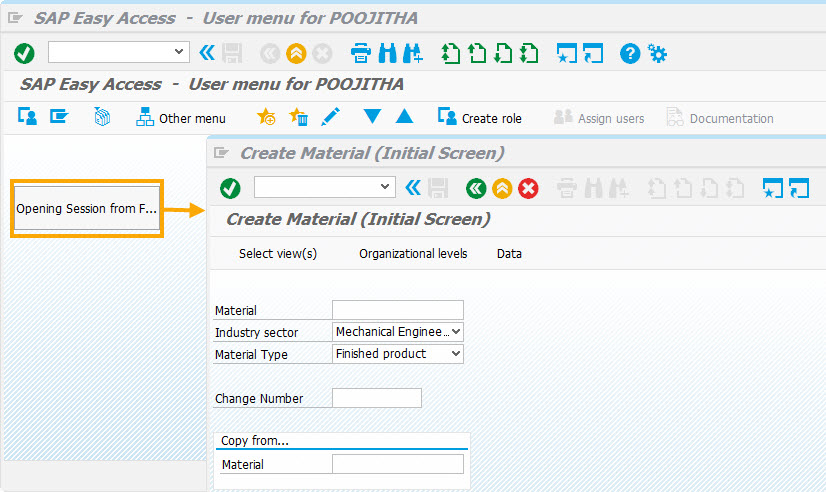
Script
// SAP Easy Access Screen
pos('X[IMAGE_CONTAINER]',[10,0]);
pushbutton([2,1],"Opening Session from Functions",{"process":openSession,"size":[2,20]});
function openSession(){
  onscreen '*'
  enter("/nmm01",{"process":executeMM01NewSession,"using":{"l_mm01":"Values Passed"}});
}
// Executed once for each session
function executeMM01NewSession(param){
  println(param.l_mm01);
  onscreen '*'
  set('F[Material Type]','FERT');
  set('F[Industry sector]','M');
  // Executes the specified fcode in session from which a new session was initiated
  returnvalues({"fcode":"?"});
  // Continues Execution in New Session enter("/5");
  onerror
  message(_message);
  enter('?');
}
Usage Details
-
returnvalues
To read data by opening a new session and continue processing in the old session using the data read from the new session.
returnvalues({'fcode':'?','process':processOldSession,'using':{'l_ponum':z_va02_ponum}});Learn more about returnvalues and how to process the data in old session by passing the values from new session.